Skip to content

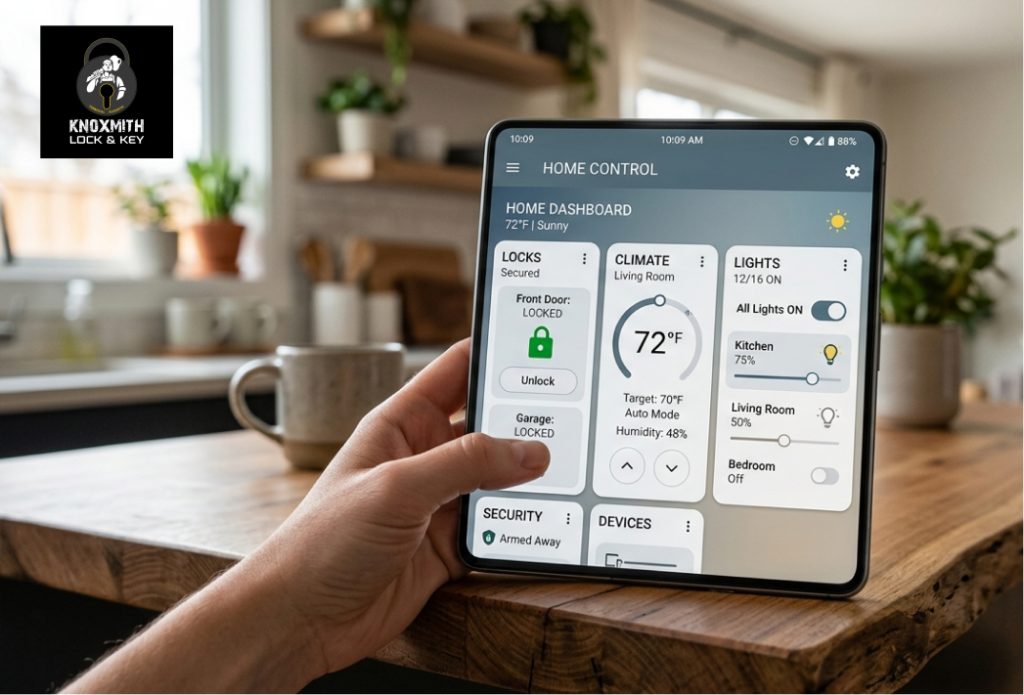
Modern Knoxville homes prioritize energy efficiency, security, and convenience to manage the variable Tennessee climate and busy lifestyles. The best smart home devices for 2026 include smart deadbolts, adaptive thermostats, high-definition video doorbells, and integrated leak sensors. These tools allow homeowners to manage their properties remotely while reducing monthly utility costs and improving overall safety. Choosing hardware that supports unified protocols ensures different gadgets communicate with each other without technical friction.
Knoxmith Lock & Key provides this guide based on years of experience in residential locksmith services in Knoxville, TN. Understanding how these systems function in local conditions helps residents make practical choices for their properties. This article details the specific gadgets that offer the most utility and longevity for homeowners in the Knoxville area.
Essential Hardware for Home Automation
Selecting the right smart home systems for houses involves looking at reliability and ease of use. The following devices represent the most effective options available in 2026 for local residents.
1. Smart Deadbolts with Remote Access
Smart locks remain the foundation of any secure property. Unlike traditional locks, these devices allow for temporary access codes for guests or service workers. Many modern versions use biometric fingerprint scanners or encrypted Bluetooth signals to identify residents. For those searching for professional locksmith services in Knoxville, TN, expert setup ensures the bolt aligns perfectly with the door frame, which prevents motor strain and battery drain.
Bonus Tip: Always choose a smart lock that includes a physical key override to ensure access during a total electronic failure or battery death.
2. Adaptive Smart Thermostats
Knoxville experiences significant temperature swings between seasons. Adaptive thermostats learn a household’s schedule and adjust cooling or heating based on occupancy. According to data from the U.S. Department of Energy, homeowners can save about 10% a year on heating and cooling by simply turning the thermostat back 7 to 10 degrees Fahrenheit from its normal setting for 8 hours a day. Smart versions automate this process by using geofencing to detect when the last person leaves the house.
3. High-Definition Video Doorbells
Video doorbells serve as both a communication tool and a security camera. The latest models for 2026 feature package detection and person alerts that distinguish between a delivery driver and a wandering animal. High resolution is necessary to identify faces or license plates from a distance. These devices integrate well with other smart home systems to create a layer of exterior protection.
4. Smart Lighting Systems
Smart bulbs and switches offer more than just convenience. They allow for “away modes” that mimic human activity by turning lights on and off at random intervals, which discourages potential intruders—similar to how understanding average car locksmith cost helps homeowners plan for unexpected security needs. Using smart switches instead of individual bulbs is often more cost-effective for large rooms with multiple recessed lights.
5. Multi-Sensor Security Cameras
Modern security cameras now use local AI processing to reduce false alarms. Instead of sending a notification for every moving branch, they only alert the homeowner when an actual person enters a restricted zone. Weatherproofing is a requirement for the Knoxville area given the frequent rain and humidity. Residents often look for a smart security device specialist in Knoxville when these units lose connectivity or require mounting adjustments after heavy storms.
6. Smart Garage Door Controllers
A garage door is often the largest entry point to a home. Smart controllers notify residents if the door remains open after a certain time or if it opens while no one is home. Some systems allow for in-garage delivery services, where couriers place packages inside a secure area to prevent theft from the porch.
7. Smart Smoke and Carbon Monoxide Detectors
Standard alarms only help if someone is home to hear them. Smart detectors send emergency alerts directly to a smartphone. This allows homeowners to call the fire department even if they are miles away. These devices also communicate with each other; if one detects smoke in the basement, the alarm in the bedroom will also sound to wake the occupants.
8. Water Leak Sensors
Basement flooding and pipe bursts cause significant damage in East Tennessee homes. Small, battery-operated leak sensors placed near water heaters, washing machines, and sinks provide early warnings. Some advanced smart home automation devices in Knoxville, TN can even trigger an automatic water shut-off valve to stop the flow of water the moment a leak is detected.
9. Smart Sprinkler Controllers
Maintaining a lawn in Knoxville requires careful watering during the dry summer months. Smart sprinkler controllers use local weather forecasts to skip watering cycles when rain is expected. This prevents overwatering and lowers water bills significantly.
10. Centralized Smart Hubs
A hub acts as the brain of the home. It connects various smart home gadgets for 2026 into one interface. Using a hub that supports Matter or Thread protocols ensures that devices from different brands work together. This centralization allows for “scenes,” such as a “Goodnight” command that locks all doors, lowers the thermostat, and turns off all lights simultaneously.
Technical Specifications Comparison
The table below summarizes the primary connection types and power requirements for the essential hardware discussed in this guide.
| Device Category | Primary Connection | Power Source | Best Use Case |
|---|---|---|---|
| Smart Lock | Z-Wave / Zigbee | Battery | Front/Back Entry Doors |
| Thermostat | Wi-Fi | C-Wire (Hardwired) | HVAC Energy Management |
| Video Doorbell | Wi-Fi | Wired or Battery | Front Porch Monitoring |
| Leak Sensor | Zigbee / Wi-Fi | Battery | Near Appliances/Basements |
| Smart Hub | Ethernet / Wi-Fi | Plug-in | Central System Control |
Practical Factors to Review Before Buying
Choosing the right equipment requires more than just looking at features. Homeowners must evaluate their existing infrastructure to ensure new hardware will function correctly.
First, check the strength of the home Wi-Fi network. Many smart devices fail because they are placed too far from the router, especially exterior cameras or garage controllers. Installing a mesh network can provide the coverage needed for these peripheral areas.
Second, consider the power requirements. While battery-operated devices are easier to install, they require regular maintenance. Hardwired devices like thermostats or some doorbells offer more reliability but might need professional installation. Knoxmith Lock & Key often sees issues where improper wiring leads to intermittent device failure.
Third, look at subscription costs. Many camera and doorbell brands require monthly fees to store video footage in the cloud. If recurring costs are a concern, look for devices that offer local storage via SD cards or private servers. Researching Consumer Reports can help identify which brands offer the best value without hidden fees.
Common Questions Regarding Home Automation
Homeowners often have concerns about the transition to a connected home. Addressing these early prevents frustration during the setup process.
Does a smart home work during a power outage?
Most smart devices require power and internet to function fully. However, smart locks still work manually with a key or a local code. Battery-backed hubs can maintain some local automations, but remote access usually drops until the internet router receives power again.
Can smart home devices be hacked?
Any device connected to the internet carries some risk. Using strong, unique passwords and enabling two-factor authentication significantly reduces this threat. Choosing reputable brands that provide regular security updates is also vital for long-term safety.
Do smart devices increase home value?
A study from the National Association of Realtors indicates that many buyers are interested in smart home features, particularly those related to security and energy management. While they might not always lead to a higher asking price, they can make a home more attractive and help it sell faster in a competitive market.
Useful Guidance for Long-Term Maintenance
- Update Firmware Regularly: Manufacturers release software patches to fix bugs and close security gaps. Enable auto-updates whenever possible.
- Check Batteries Biannually: Change batteries in locks and sensors during Daylight Saving Time to prevent unexpected shutdowns.
- Clean Camera Lenses: Knoxville pollen and dust can obscure camera views. A quick wipe with a microfiber cloth every few months keeps images clear.
Frequently Asked Questions
Which wireless protocol is best for smart homes?
Z-Wave and Zigbee are often preferred over Wi-Fi for large systems because they use less power and create a mesh network where each device strengthens the signal. Matter is the newest standard that aims to make all these different protocols work together seamlessly.
Will a smart thermostat work with an older HVAC system?
Most modern thermostats are compatible with older systems, but they often require a “C-wire” for constant power. If the existing wiring does not have this, an adapter or professional help may be needed.
How many smart devices can one router handle?
A standard ISP-provided router typically struggles after 20 to 30 connected devices. For a full smart home, upgrading to a high-capacity router or a mesh system is usually necessary to prevent lag and dropped connections.
Are smart locks easy to install on old doors?
If the door is aligned and the deadbolt moves freely, installation is straightforward. However, if the door requires pushing or pulling to lock, the smart lock motor will likely fail or jam. Physical door adjustments should happen before the electronic installation.
Final Steps for Homeowners
Focusing on security and climate control provides the most immediate benefits for any property. Start with a reliable smart lock and a thermostat before expanding into lighting or specialized sensors. Evaluate each device based on its compatibility with existing hardware and the specific needs of the household. Taking a gradual approach allows for a better understanding of how each system improves daily life. Ensure all hardware is installed correctly to maintain the physical security of the home.
Contact Information for Assistance
For help with hardware setup or repairs, contact Knoxmith Lock & Key at 865-213-2545. The team assists with residential security needs and smart lock troubleshooting across the region. For general inquiries or to discuss specific hardware compatibility, email management@knoxmith.com. The staff provides direct support for homeowners looking to improve their property’s accessibility and safety through modern technology.
Sources
- U.S. Department of Energy – Government resource for energy efficiency and thermostat savings data.
- Statista – Market research platform providing data on smart home adoption rates and trends.
- Consumer Reports – Independent nonprofit member organization that provides product testing and ratings.
- National Association of Realtors – Professional organization providing insights on how home features affect marketability and value.